
 English
 Greek
Greek Spanish
 Ukrainian
 Turkish
 Swedish
 Portuguese
 Russian
 German
 Bulgarian
 Arabic
 O'zbekcha
 Қазақ
ҚазақHow to Choose a CNC Machinery Supplier for Higher Production Capacity in Furniture Manufacturing
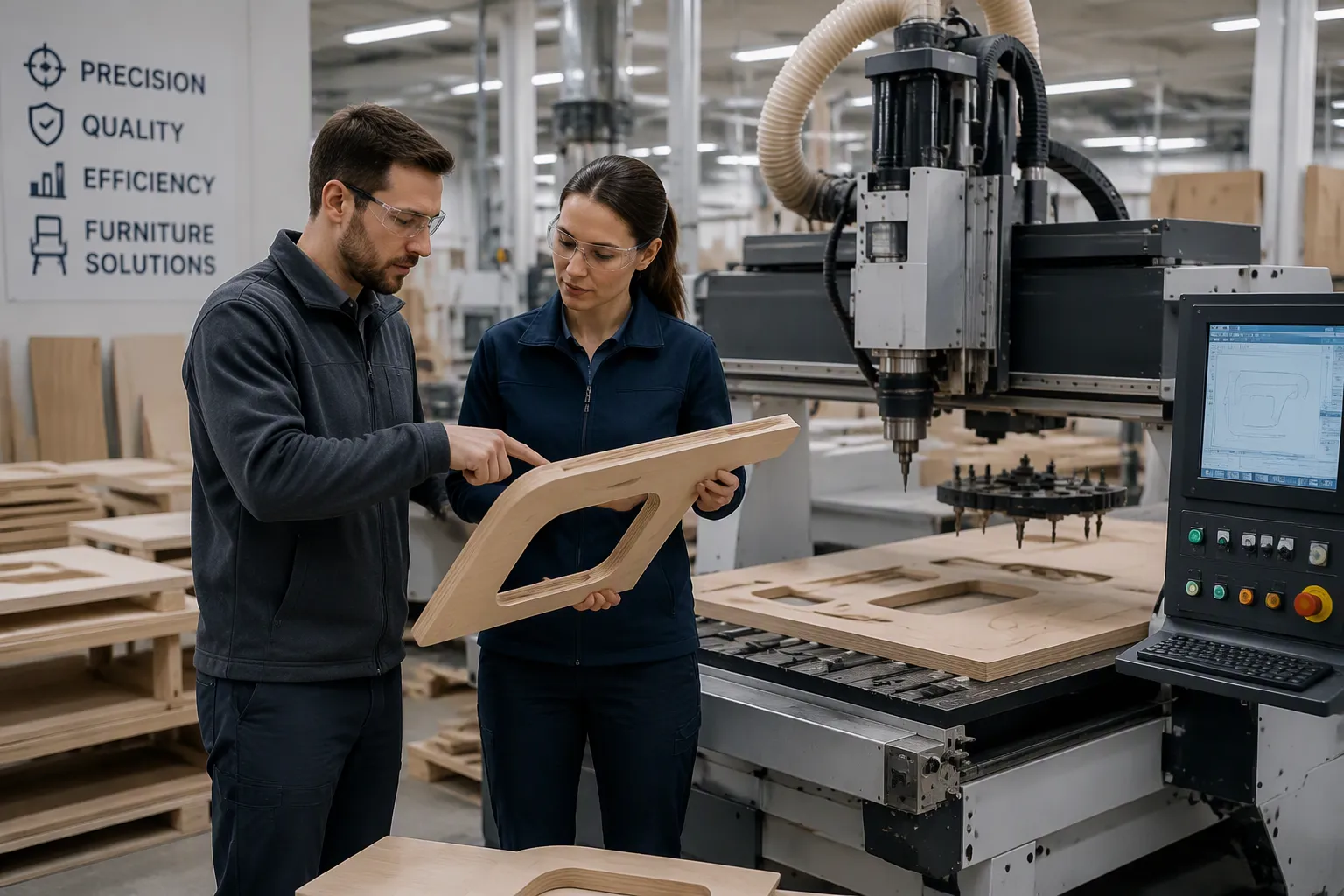
Your order book keeps growing, but your current setup can barely keep up. The right CNC machinery supplier can close that gap. Judge candidates on six points:
Capacity fit — can the machines hit your output goals?
Technical performance — do speed, accuracy, and spindle power hold up?
Application match — does the equipment fit your furniture lines?
Compliance — are certifications and safety features all in order?
Total cost — what does it cost to own the machine over its life?
Support — will service, training, and parts come quickly?
A strong partner brings precision, less waste, and customization. These things raise production capacity without hiring more people. Compare suppliers in a planned way, not just by price.
Key Takeaways
Set your production goals and measure your current output to find the capacity gap.
Try out the machines with your own materials and files. This shows whether they meet your quality and workflow needs.
Look for safety certifications and features that protect your workers and your business.
Think about the full cost of owning the machine, like downtime, training, and spare parts, not just the purchase price.
Pick a supplier with good support, quick service, and dependable spare parts to keep production going.
Define Your Capacity Needs
Map Current Output and Growth Targets
Start with numbers you already have. Count the parts your shop finishes in a normal week. Then divide that number by the hours your team really runs the line. This gives you a true baseline for daily production output, not a guess based on your best day. Repeat the count over a full month to even out seasonal spikes.
Next, set a growth target you can defend. Look at your order backlog and your sales pipeline. Then decide how much extra volume you need to handle in the next year or two. Compare that target against your baseline. The gap tells you how much more processing capacity a new machine must deliver. Write the gap down before you contact any supplier. A clear target keeps the talk on production efficiency instead of brochure claims.
Match Machine Types to Furniture Lines
Machine type should follow your product mix. For cabinet production, most panels run well on three-axis nesting paired with dedicated drilling equipment. Five-axis machining becomes relevant for curved components, complex joinery, and sculpted solid wood. Vertical machines suit prototyping and mixed low-volume work, while horizontal machines fit repeat production and lights-out runs.
A cnc router for cabinet production is often the starting point for shops scaling into panel-based work. As volume grows, a cnc router for cabinet making with automated tool change supports multi-step parts without manual swaps. Entry-level routers serve smaller shops, and industrial-scale operations pair larger machines with nesting software and high-volume dust extraction. Match the cnc router to your furniture production line, and the cnc router becomes a real capacity lever. Add automation only where your workflow supports it, because unused automation adds cost without lifting efficiency. A cnc router chosen for your actual cabinet manufacturing needs will raise production across the whole shop floor.
Evaluate CNC Router Performance
Check Speed, Accuracy, and Spindle Power
Check the hardware before you talk about price. Ask for the machine's rapid traverse speed, cutting feed rate, and positioning accuracy. Then ask about repeatability — how well the machine returns to the same point job after job. A cnc router can look fast on paper and still drift over a long shift. Repeatability tells you whether part ten matches part one thousand.
Spindle power deserves the same close look. A weak spindle slows the cut in dense materials and burns edges. Match spindle power to the thickest panel and hardest material in your mix. Confirm the machine holds its accuracy under continuous load, not just in a short demo. Steady quality comes from machines that meet your exact design specifications on every cycle. A cnc router that holds tolerance across a full shift protects your yield and your delivery dates.
Confirm ATC CNC Router and Software Fit
Multi-step furniture parts need cutting, drilling, routing, grooving, and engraving in one job. A conventional cnc router forces the operator to stop and swap tools by hand. That pause eats production time and invites error. An atc cnc router stores multiple tools in a built-in changer and switches them automatically. The machine finishes every operation in one continuous workflow. This makes the atc cnc router well suited to high-volume cabinet work and custom furniture manufacturing.
Feature / Operation | Contribution to Multi-Step Efficiency |
|---|---|
Rapid switching among cutting, drilling, routing, and engraving within one production cycle | |
5+4 vertical drilling unit | Performs vertical drilling without a separate setup |
4-sided HQD side milling angle head | Enables side grooving and slotting in the same pass |
Combined operations | All completed in a single workflow with no repeated repositioning of material |
An atc cnc router with automatic tool change removes manual downtime and lowers the risk of processing errors. These atc cnc routers support wood, MDF, plywood, and aluminum. A reliable atc cnc router also offers flexible magazine options — disc, chain, or linear — to match your production scale. For repetitive furniture production, atc cnc router machines cut manual labor and cycle time. Shops running automated production pair these atc cnc routers with nesting software for steady throughput. The automatic tool changer cnc router and the automatic tool changing cnc router both deliver the same core gain: fewer stops, more parts.
Software fit decides uptime. A post-processor mismatch is the single biggest point of failure. Generic G-code can trigger wrong spindle direction or a dead dust collector. A weak shop-floor network drops large files mid-cut, so hardwired ethernet is safer. Poor CAD geometry and undefined tool libraries stall nesting. Skipped updates break compatibility after a CAD upgrade.
"The key bridge is the custom post-processor. A skilled software technician writes this post-processor to translate modern CAM toolpaths into the specific G-code required by your legacy machine's controller."
Test the cnc router with your own files before you commit. Confirm the cnc router runs your CAM output cleanly. Check that the cnc router's controller handles your nesting complexity. Verify the cnc router integrates with your panel flow. A cnc router that fits your software protects production efficiency across the whole line. Automation only pays when the cnc router and your software speak the same language. Ask for a live run of your real job files, and judge efficiency by the parts that come off the table.
Verify Fit for Cabinet Manufacturing
Test Materials and Cutting Demos
Ask for a hands-on demo using your own panel stock. Bring the MDF, plywood, and melamine you use every day. Watch how the cnc router handles chip-out on melamine edges and tear-out on veneered board. A machine that cuts cleanly in a showroom may act differently on your material mix. Test the thickest panel and the densest board you use.
Run a real cabinet part through the cnc router for cabinet production. Check the hole positions, groove depth, and edge quality against your drawing. Then repeat the same part several times. Results that stay the same across a run tell you more than one perfect sample. A qualified cabinet and furniture manufacturer should understand your cabinet manufacturing requirements, not just the machines for sale. Ask the supplier to explain how the cnc router for cabinet making fits your specific panel flow.
Review Workflow and Line Integration
Compare each approach against your actual cabinet production needs. The table below shows where each option fits best.
Approach | Best-fit scenario | Key advantage | Main limitation |
|---|---|---|---|
Nesting CNC + drill bank | Full-sheet cutting plus repeated vertical holes | Combines cutting and vertical drilling in one workflow | Not a full six-sided drilling workflow |
Six-side drilling machine | Many vertical and horizontal holes, grooves, changing cabinet data | Reduces panel flipping and manual drilling checks | Needs data prep, floor space, and operator training |
PTP with boring head | Doors, shaped panels, mixed boring and routing | Flexible workholding; boring and routing in one setup | Less efficient than nesting for simple full-sheet cutting |
CNC drilling and cutting line | Linked loading, labeling, drilling, cutting, unloading | Stronger automation and lower manual handling | Requires layout planning and clear output targets |
Map your workflow sequence before you commit. A nesting cnc router suits factories that cut most parts from full sheets. A panel saw feeding a six-side drilling station fits cut-to-size board work with barcode data. Door producers pair blank prep with PTP boring and routing. For high-volume cabinet production, an atc cnc router with automatic tool change keeps multi-step parts moving without manual swaps. An automatic tool changer cnc router and other atc cnc routers cut cycle time in repetitive furniture production. Add automation only where your workflow supports it. The right cnc router raises efficiency across furniture production, and a well-matched cnc router protects cabinet manufacturing throughput. Test the cnc router with your files, confirm the cnc router fits your line, and judge the cnc router by the parts it produces.
Confirm Compliance and Safety
Check Certifications and Electrical Requirements
Paperwork keeps your money safe. Ask each supplier for the certificates that fit your market and your machine type. The table below shows what each document proves.
Certification / Requirement | What It Verifies |
|---|---|
CE marking | Electrical safety, laser emission standards, and safe operation for CNC routers and laser systems |
FDA certification | Product safety and electrical compliance for entry into regulated markets |
ISO 9001 | Standardized assembly, quality control, and reliable production |
Regional electrical certifications | Electrical safety that meets local safety laws, which lowers risk during operation |
Export and market-entry documentation | Following the rules of the destination country, which allows customs clearance |
Electrical safety inspections and test reports | Factory calibration, laser power checks, and electrical safety data |
Check the voltage, phase, and frequency your building provides. Then make sure the machine's electrical setup matches it. If they don't match, you must rewire or add a transformer, and both cost money and cause delays.
Review Safety Features and Operator Protection
Safety should be part of your checks, not a small note at the end. Begin with the enclosure. A full enclosure should keep the control panel and emergency stop outside the danger area, with a clear view inside. Partial enclosures can work too, as long as light barriers, pressure-sensitive bumpers, or mats guard the openings. Impact-tested curtains should stop a 100 g projectile at 70 m/s.
Next, look at the moving parts. Tool spindles need an automatic electrical brake that stops rotation within ten seconds. Tool changer doors should lock together with the cutters, and manual tool changes should never let the tool holder spin. A mode selection switch for setup work should limit dangerous movement to hold-to-run control, single-axis movement of 2 m/min or 10 mm steps, and tool rotation capped at 300 rpm. Hand-fed routing machines need an adjustable, self-closing ring guard.
Ask about noise control where levels go above 85 dB(A), and confirm local exhaust ventilation is built into the machine. Request the maintenance schedule and the lockout procedure for electrical isolation. A supplier who documents these checks shows real skill in furniture production safety. That same care should carry into every cnc router they deliver, and it protects your operators on every cnc router you run.
Analyze Total Cost of Ownership
Compare Price With Lifetime Costs
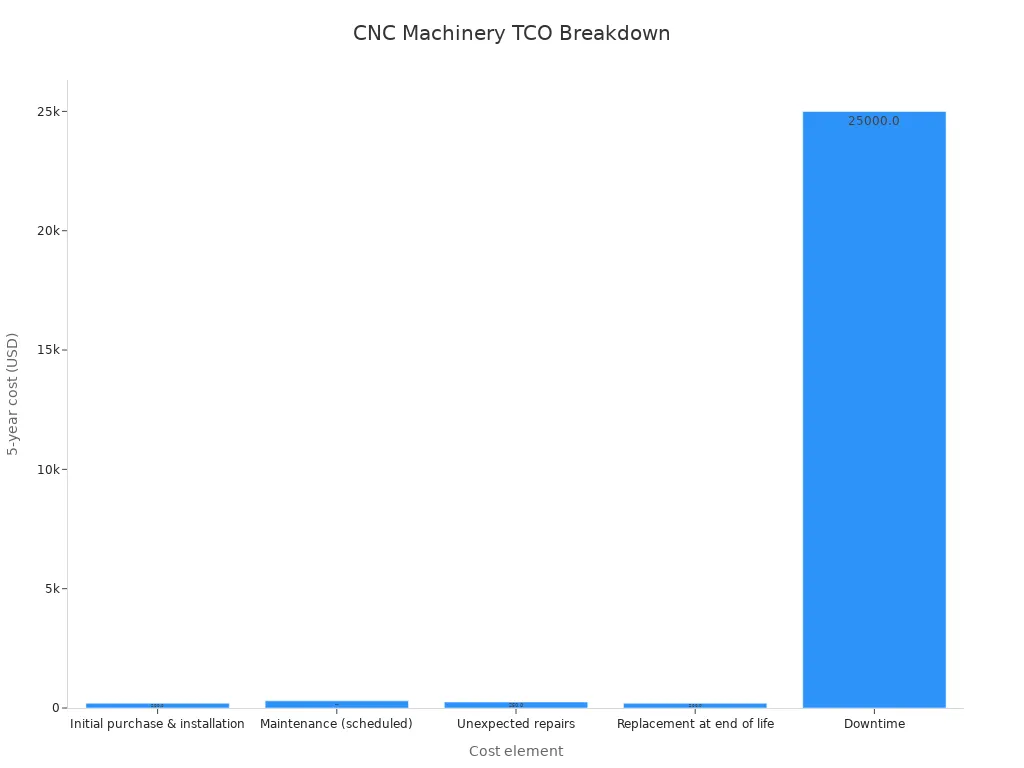
A low purchase price tells you little about what a machine will cost you over five years. Look past part price, lead time, and basic capability. Judge the machine by its lifetime cost instead. Buying the machine, including freight, installation, setup, and first operator training, usually makes up about 25–35% of lifecycle cost. Maintenance and repair, including spare parts, consumables, and fix-up work, take another 30–45%. Downtime and lost production can be bigger than all the other costs added together.
That last number should guide your choice. A machining center running at about $150 per hour fully loaded loses that amount for every hour it is down. One day of downtime on a two-shift production cell usually costs $2,000–$5,000 or more. Add overtime to make up the lost output, and the bill goes higher. So reliability is a key factor in choosing a machine, not just a bonus. A dependable cnc router protects your production efficiency far more than a cheap one ever will.
Factor In Training, Parts, and Downtime
Training is part of the purchase cost, and it pays you back fast. Skilled operators run the cnc router safely and keep it in good shape. Staff with poor training cause scrap, rework, and early wear. Set aside money for training as a real budget item, not something you add later.
Spare parts are part of maintenance. Find and stock the key wear items on your cnc router before they fail. Shops that keep these parts on hand bounce back faster than shops that order them when something breaks. Factory-trained engineers and a local parts supply have real dollar value in uptime. Treat scheduled maintenance as a cost of ownership, not a delay. Planned service hours keep long-term production performance steady.
Downtime is the quiet budget killer. Unplanned stops cut output, cause late-delivery penalties, and force costly catch-up runs. Strong tooling and reliable automation cut how often things fail and keep the line moving. Every hour you don't lose is an hour of efficiency you keep. Weigh these three costs together, and the cheapest cnc router often turns out to be the most expensive to own.
Assess Your CNC Machinery Supplier
Evaluate Service, Training, and Spare Parts
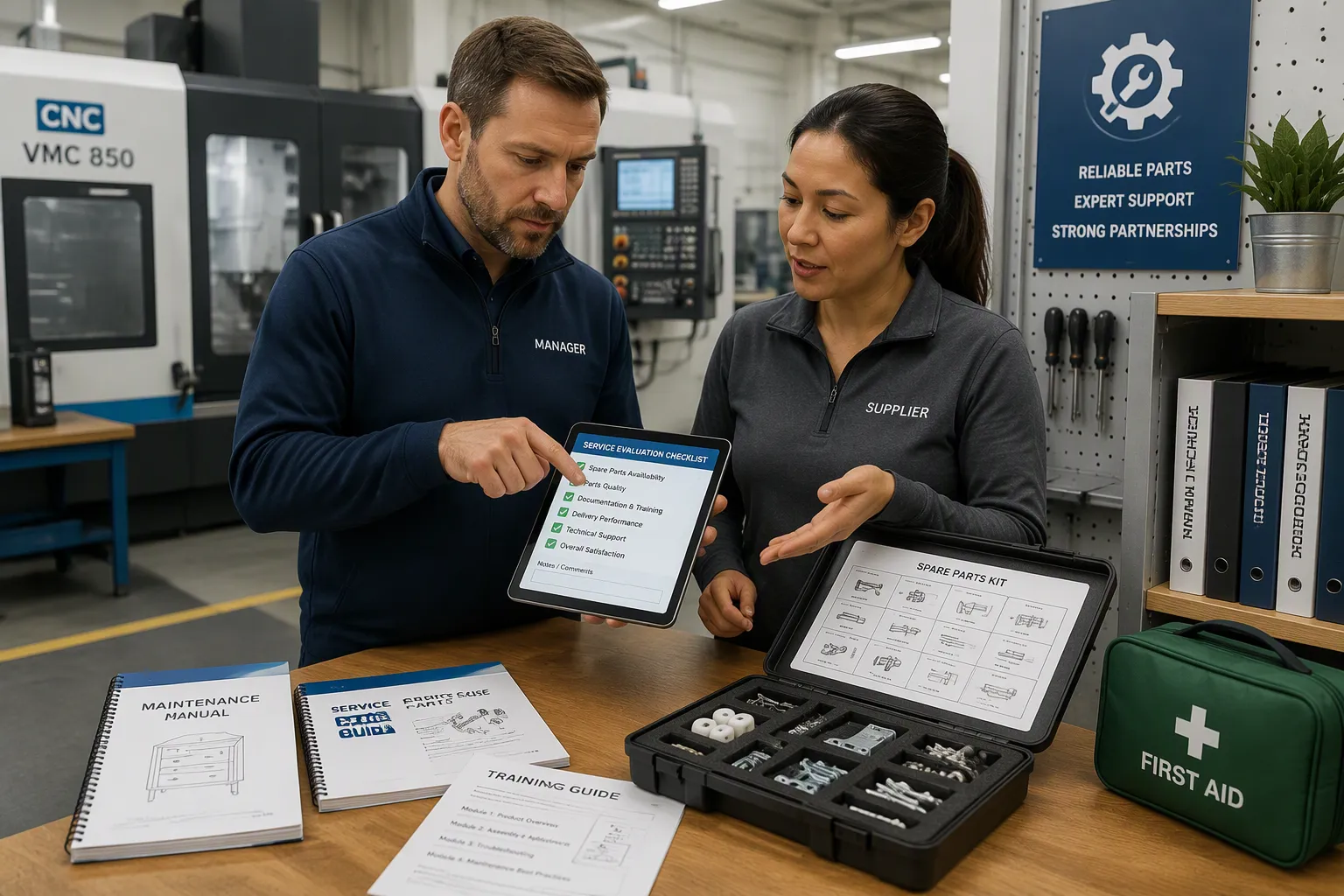
Compare suppliers on support, training, lead time, and spare-parts availability, not just on price. A cheap machine with slow service drains your capacity faster than a higher-priced machine with strong after-sales support. Ask each cnc machinery supplier to show how it handles your real operating scenario.
Scenario | Criteria to Evaluate | Evidence to Request |
|---|---|---|
Changeover and similar-part trials | Changeover demonstration, trial cutting, fixture options, operator-training scope | Trial cutting results, training scope documentation |
Stable high-volume production | Repeatable cycle time, process stability, automation compatibility, preventive maintenance, spare-parts planning | Continuous-run testing, representative cycle data, critical spare-parts list |
Overseas installation and operation | Export experience, installation support, technical documentation, remote diagnosis, predictable service response | FAT and SAT procedures, service contacts, response commitments, spare-parts lead times |
Set hard limits before you sign. A spare-parts lead time above two weeks creates high downtime risk, so require a local depot with documented inventory and audit it each year. A field service response above 48 hours carries the same risk, so write a contractual response time with a penalty clause. Order the recommended spare-parts kit together with the machine. A four-week wait for a low-cost sensor can shut your line for four weeks. Evaluate the support network as rigorously as spindle horsepower, because unplanned downtime is the single most expensive ownership line item.
Check References and Quality Systems
Research reputation through industry associations, user forums, and customer references. Request case studies from buyers in industries comparable to yours. A documented history of defect-free, high-precision parts for demanding applications is strong evidence of reliability. Then review the quality management system. ISO 9001:2015 signals structured processes, documentation, and continuous improvement. Verify scope, site, and validity against official records. Ask for revision logs, calibration records, and recent corrective action reports. Pass means the system runs on the floor and records prove it. Disqualify a supplier that refuses an audit or shows systemic breakdown.
A supplier such as KDT illustrates the credentials worth checking. KDT is a listed high-end manufacturer of woodworking cnc machinery, ranked among China's top 500 machinery enterprises, with six production bases spanning 500,000 m² and 130+ distributors serving 70+ countries. Its range covers sawing, nesting, edge banding, drilling, packaging, and automation. Use such benchmarks neutrally when you score candidates.
Weigh these factors against your capacity goals. A cnc machinery supplier that trains your operators, stocks critical parts, and answers service calls fast protects production efficiency. Pair that support with the right atc cnc router and your cabinet production line runs steadier. Confirm the cnc router for cabinet making fits your workflow, and confirm the cnc machinery supplier stands behind it. Strong support turns a good cnc router into reliable capacity. It also keeps your atc cnc routers cutting through every shift. That combination lifts efficiency across cabinet manufacturing and protects production targets. Choose the partner, then choose the cnc router.
Give each candidate a score on six points: capacity fit, technical performance, application match, compliance, total cost, and support. A low price seldom gives you the biggest boost in capacity. Cheap machines often cost more because of downtime and slow service.
Make a simple scorecard and rate each cnc machinery supplier on every criterion before you decide. Trust the numbers, not the sales pitch. Then pick two or three vendors and ask for demos, written quotes, and customer references. Run your own panel stock through each cnc router and compare the results side by side. That evidence guards your production targets and turns a hard choice into a clear one.
FAQ
How many suppliers should you shortlist?
Shortlist two or three vendors. A bigger list spreads your demo time too thin. A smaller list gives you nothing real to compare. Score each candidate on the same six criteria, then run your own panel stock through each machine. Side-by-side evidence beats a stack of brochures.
What should you test during a machine demo?
Bring your own MDF, plywood, and melamine. Run a real cabinet part and repeat it several times. Check hole positions, groove depth, and edge quality against your drawing. Ask for a live run of your CAM files. Steady results across a full run matter more than one perfect sample.
Which service commitments belong in the contract?
Write response times into the agreement. Set a field service limit and attach a penalty clause for missed targets. Require a local spare-parts depot with documented inventory. Order the recommended spare-parts kit with the machine. A four-week wait for a low-cost sensor can idle your line for four weeks.
Should you buy automation with the first machine?
Add automation only where your workflow supports it. Unused automation adds cost without lifting output. Start with a cnc router matched to your current volume, then add tool change, nesting software, or line integration as orders grow. Each step should answer a measured capacity gap, not a brochure promise.
How do you weigh price against support?
Treat downtime as the largest ownership cost. A cheap machine with slow service drains capacity faster than a higher-priced machine with strong support. Compare training, parts availability, and response times alongside the quote. The lowest price rarely delivers the biggest gain in production.