
 English
 Greek
Greek Spanish
 Ukrainian
 Turkish
 Swedish
 Portuguese
 Russian
 German
 Bulgarian
 Arabic
 O'zbekcha
 Қазақ
ҚазақHow to Choose a Professional Smart Machining Center Manufacturer for Cabinet Production
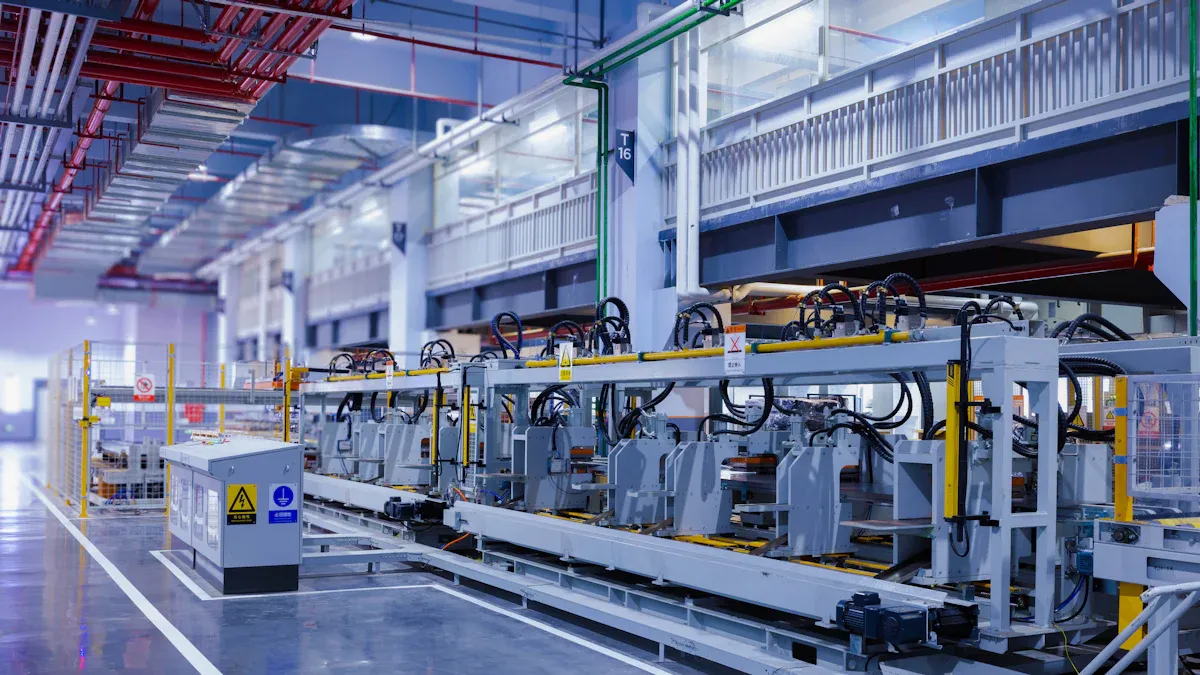
The manufacturer you pick for your smart machining center decides what happens to your cabinet shop. A good partner brings speed, accuracy, and dependability to your production floor. A bad choice wastes your time, causes constant breakdowns, and throws away your money.
You deserve machines that work the same way every time and support that keeps you going. This article looks at machine types, important things to think about, and ways to judge manufacturers. You will learn what you need to make a smart, confident choice for your business.
Key Takeaways
Pick a machine that fits your production volume. Small shops need basic CNC routers. Large factories need fast nesting centers or ATC routers.
Look at the manufacturer's certifications, such as ISO 9001 and CE. These prove the factory follows quality and safety rules.
Plan your budget carefully. CNC machines cost more at first. Financing options like loans or leases can let you pay over time.
Check that the machine works with your design software. Good software compatibility keeps your production running smoothly.
Choose a manufacturer that offers strong after-sales support. Good training and quick spare parts service help protect your investment.
Why Smart Machining Centers Matter in Cabinet Making
Speed and Precision Benefits
A cnc router changes the way you do cabinet making. You can make many different door and cabinet styles easily and correctly. The machine follows your design file closely, so every piece matches the one before. This high precision is important when you promise steady quality to your customers.
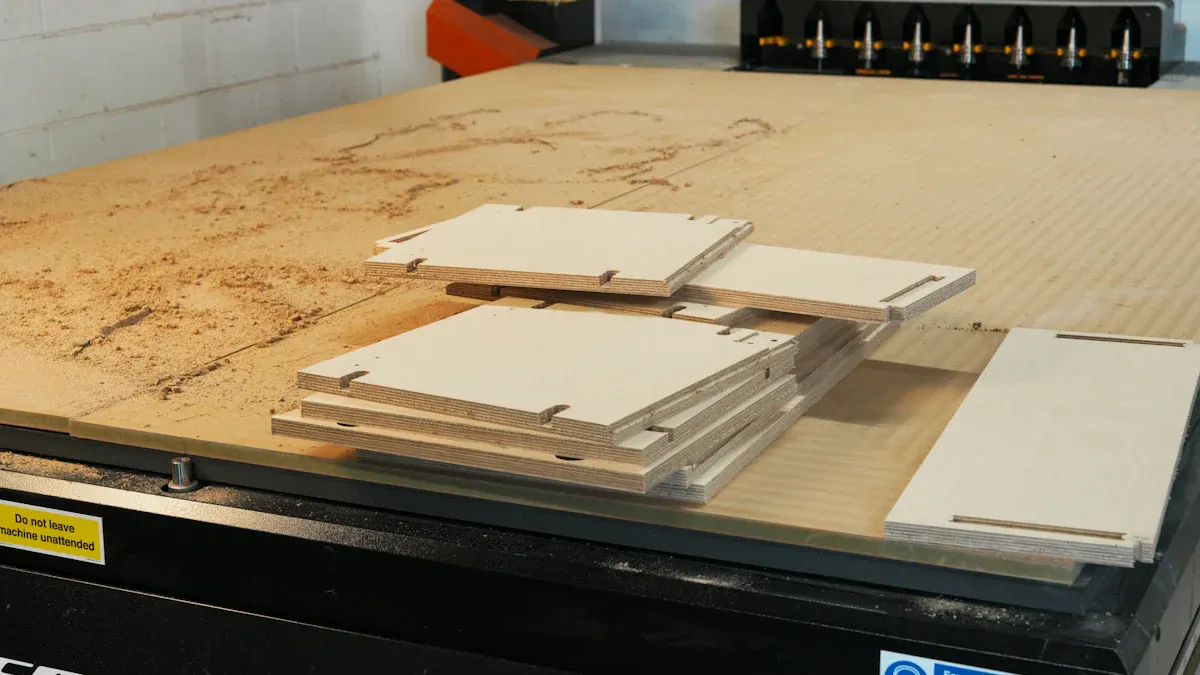
A smart CNC nesting machine is the top choice for professional cabinet makers. It does nesting, routing, and vertical drilling all in one unit. You load a full sheet, and the machine cuts, drills, and shapes each part. This stops you from moving pieces between stations. The result is faster output and tighter tolerances on every door and panel.
Labor Savings and Error Reduction
For new cabinet shops, choosing CNC technology or traditional machinery is a big investment decision. A cnc router lowers the number of workers needed on the floor. One operator can run a machine that replaces several manual steps. You also reduce human mistakes, since the machine does not get tired or miss a step.
A cnc router also helps you train new staff more quickly. The machine does the complex cuts, so your team can focus on assembly and finishing. You spend less time fixing errors and more time shipping complete orders. For cabinet manufacturers who want to grow, this change is key.
A cnc router gives you a repeatable process for every door and drawer front. You can handle more work without adding more shifts. The machine keeps your cabinet production on schedule and your quality steady. This reliability builds your reputation in the market.
Main Types of Smart Machining Center
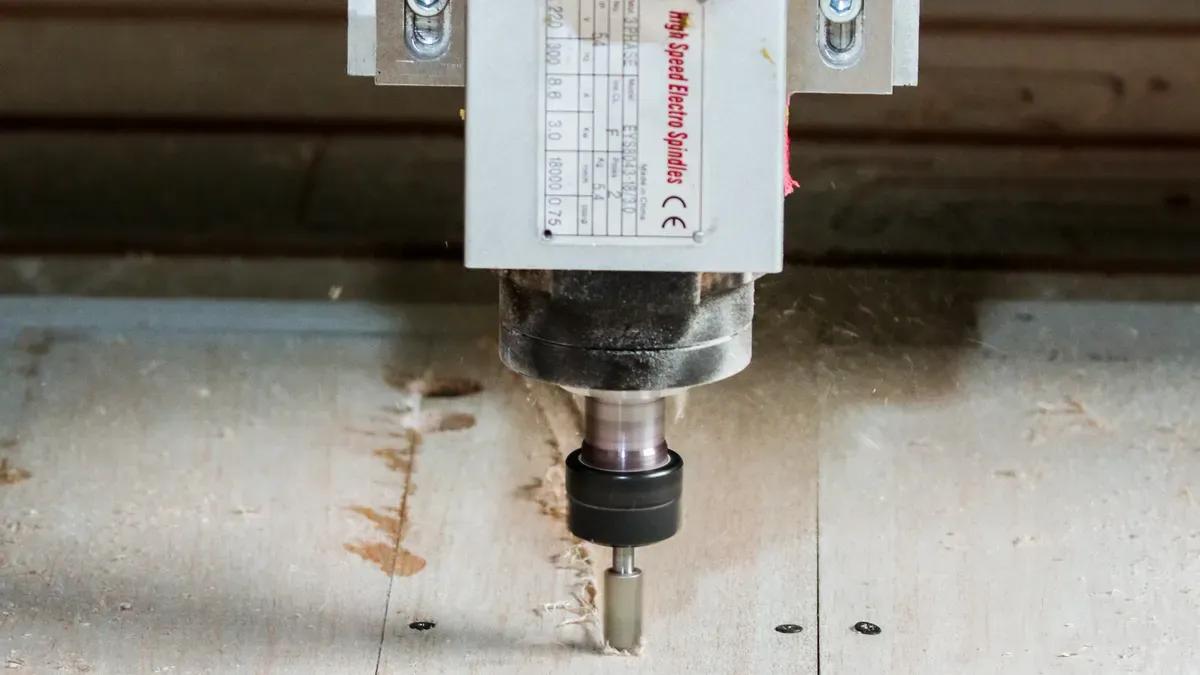
Picking the right smart machining center depends on what you need to produce. Medium and large workshops get the most from an ATC CNC router, while others need a nesting center. Today's cnc door and cabinet machining centers are built to boost uptime and output for busy shops.
ATC and Four-Process Centers
An ATC system removes the downtime caused by swapping tools by hand. The table below shows normal tool change times for different systems.
ATC System Type | Tool Change Time Metric |
|---|---|
Carousel ATC | Sub-8-second chip-to-chip time |
General ATC |
|
One manual tool swap—counting collet cleaning and Z‑axis re‑zeroing—takes 5 to 8 minutes. For a cabinet door that needs 4 tools, that downtime adds up to about 20 minutes per sheet. A cnc router with an ATC finishes all four changes in about 40 seconds. Manufacturer data shows carousel ATCs save 30 to 50% of total cycle time compared to manual systems on equal runs. The automatic tool change on a carousel system cuts cycle time by a lot. A standard four‑process cnc router does cutting, drilling, and hinge boring in one clamping cycle. Standard door and cabinet processing centers often include ATC as a core feature. For high‑volume cabinet production, a cnc router with carousel ATC gives the best cycle time.
Nesting and 4-Axis Centers
For nested‑based production, a smart CNC nesting machine combines nesting, routing, and vertical drilling. This machine runs full sheets without repositioning, so parts do not need to be moved. The 4‑axis option lets you cut angled profiles or make complex door designs. A cnc router set up for nesting handles drilling, grooving, and cutting in one pass. This cuts handling errors and shortens cycle times. When machining panel doors, the nesting center makes sure each door fits perfectly. You can also machine the door edges and hinge pockets without repositioning.
Matching Machines to Production Volume
Your machine choice depends on your shop size, how much you make, and how custom your work is. A small custom shop needs different tools than a big factory that makes many items. You should look at what you make now and what you plan to make later before buying.
Low-Volume and Custom Shops
You own a small cabinet shop that does custom jobs. Your customers want unique door styles and one-of-a-kind designs. A basic cnc router works well for you. It can cut many door shapes and cabinet sizes without costing too much.
You don't need a fast nesting center to make ten doors per day. A small cnc router lets you change between jobs quickly. You might cut a raised panel door in the morning and a flat slab door later. Your cnc router becomes the main tool for your custom cabinet work.
High-Volume and Batch Production
You make hundreds of cabinet doors and panels every week. Your shop needs a fast machine that breaks down rarely. A smart nesting center or an ATC cnc router with automatic loading fits this need. These machines keep your cabinet line running without a worker having to watch them all the time.
The table below shows throughput figures reported for high-volume smart machining centers.
Source | Reported Throughput | Unit |
|---|---|---|
Contributor M | 40–50 | sheets per shift |
Contributor O | 50 | sheets per day |
Contributor L | ~7 | sheets per hour (kitchen parts on 4x8 sheets) |
A high-volume cnc router that loads and unloads by itself reduces manual work. You put a stack of sheets on, and the machine works through each one. Your team can then focus on putting parts together and finishing them instead of moving panels. This setup boosts your output and keeps your cabinet shop ahead of others.
Budget and Material Compatibility
Setting a Realistic Budget
Before buying any machine, you need to set a budget that makes sense. For a new cabinet shop, you may have to choose between CNC tech or old-style tools. A CNC router costs more upfront than a table saw or hand router. But the machine pays you back by working faster and more accurately.
You do not have to pay the full cost in cash. There are several ways to pay over time for cabinet shops. You can pick from:
Equipment Loans (Term Financing)
Capital Leases (Finance Lease)
Operating Leases
Equipment Line of Credit
Sale-Leaseback
These choices let you spread the cost over many months. Here is a real story. A shop in the Midwest had three old Bridgeport mills. They kept losing bids for jobs that needed 5-axis CNC work. A new 5-axis machining center cost $285,000. The owner did not want to use up all their cash on one buy. With Crestmont Capital equipment financing, they got a 60-month loan at good rates. Monthly payments were $5,400. In just three months, the new machine brought in $18,000 each month from new contracts. The machine paid for itself in less than a year.
Scenario 1: The CNC Expansion
A shop in the Midwest had three old Bridgeport mills. They kept losing bids for jobs that needed 5-axis CNC work. A new 5-axis machining center cost $285,000. The owner could not pay that much without draining their cash. With Crestmont Capital equipment financing, they got a 60-month loan at good rates. Monthly payments were $5,400. Within three months, the new machine earned $18,000 per month from new contracts. The machine paid for itself in under a year.
Materials Your Machine Must Handle
A CNC router works with many kinds of cabinet doors and cabinets. What materials it can handle should guide your choice. You might cut melamine, plywood, MDF, or solid wood. Each material needs the right feed rate and spindle speed. If a CNC router struggles with one material, it will slow down your whole shop.
Think about the door styles you make most often. A raised panel door needs different tools than a flat slab door. Your CNC router must handle both without you having to adjust it all the time. For flat door and cabinet panels, you need a machine with a vacuum table that holds small parts in place. For cutting panels, a nesting CNC router gives you the best use of each sheet.
Automation and Workflow Integration
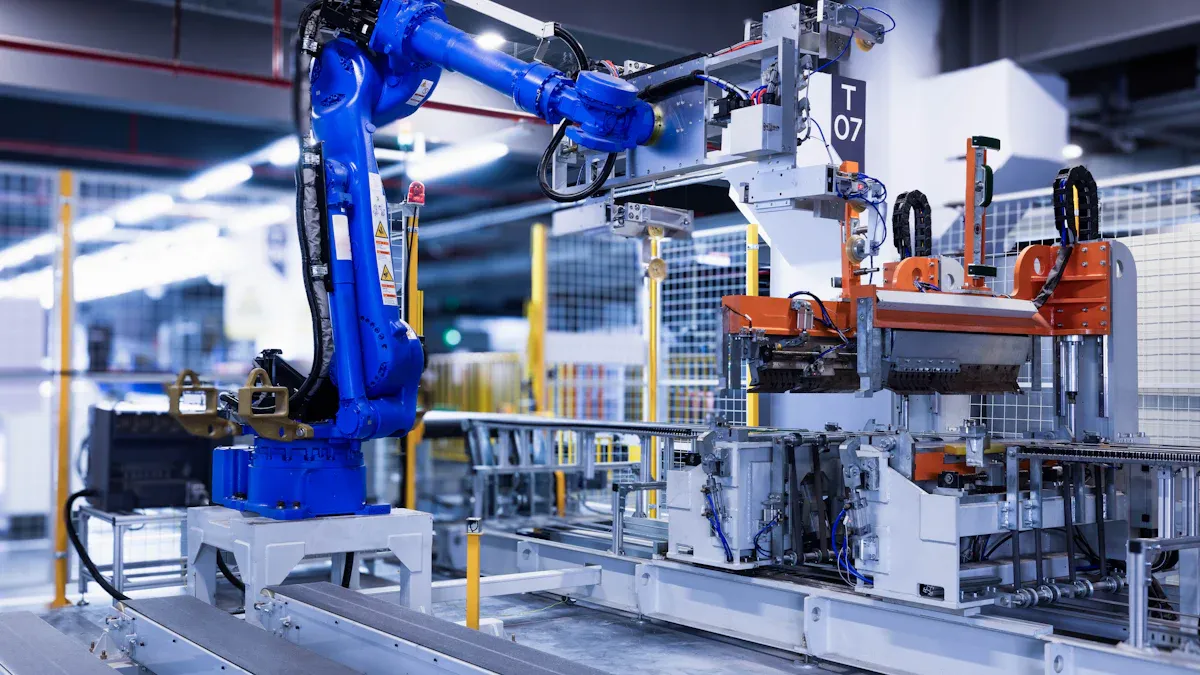
Automatic Loading and Unloading Machining Center
An automatic loading and unloading machining center changes how your shop deals with full sheets. You put a stack of panels on the loading table. The machine grabs each sheet, machines it, and stacks the finished parts. Your team no longer has to lift heavy boards by hand. This setup keeps your workers safe and your production line moving.
For high-volume shops, auto loading and unloading systems boost throughput a lot. The machine runs through a whole stack without stopping for a worker to load the next sheet. You get more productive hours every shift. Your cnc router keeps cutting while your team focuses on assembly and finishing. This kind of automation pays off when you run the same door styles every day.
Software and System Compatibility
Your cnc router only works as well as the software behind it. Programs like Cabinet Vision, Microvellum, or Mosaik give the post processor that sends code to your machine. You design a door or a full cabinet in the software. The post processor turns that design into machine instructions. Your cnc router then cuts, drills, and routes each part without manual programming.
Smart nesting software takes this even further. It arranges parts on each sheet to cut waste and shorten cycle times. Good nesting software also tracks tool paths and feed rates for every door style you make. Before you buy, make sure your cnc router supports the nesting software you already use. Ask the manufacturer for a post processor for your design program. A smooth software link keeps your door production accurate and your workflow free of bottlenecks.
Evaluating Manufacturer Reliability
Certifications and Quality Standards
When you pick a smart machining center manufacturer, you need to check their certifications. These papers show the factory follows strict quality and safety rules. A trustworthy manufacturer will share these documents without any problem. Ask for ISO certificates, CE test reports, or factory audits before you sign a contract.
The table below shows the main certifications you should look for.
Certification | Description |
|---|---|
ISO 9001 | Strict quality management framework ensuring stable, high-precision CNC routing capabilities |
CE | Full compliance with rigorous European safety and environmental regulations |
ISO 14001 | Commitment to environmental management |
ISO 9001 shows that the factory follows quality management steps. Many top Chinese manufacturers have this certification, which keeps production quality steady. CE marking is required to sell in the EU. It shows compliance with European safety standards for electrical safety and EMC. Even outside the EU, CE works as a sign of quality controls. UL or ETL certification matters when you import into the US, especially for electrical and electronic parts. Some suppliers may offer FDA or SGS-tested components, but ISO and CE are the key industrial standards.
You should also check the manufacturer's ability to provide integrated solutions for design and machining of custom cabinets. A good partner offers full solutions for cabinet production, from the first design file to the finished panel. Ask for a step-by-step guide on how to design and machine a custom cabinet. This guide helps you understand the real capabilities of a smart machining center. You can see how the machine handles a door with a raised panel, a door with a glass insert, a door with a curved profile, and a door with a simple slab design. A manufacturer who provides this guide shows they know their equipment well.
Warranty, Training, and After-Sales Support
A strong warranty protects your investment. Look for a manufacturer who offers a clear warranty period and covers key components like the spindle, servo motors, and control system. Ask what happens when a part fails. Does the company ship a replacement quickly? Do they have local service partners? These details matter when your production line stops.
Training is just as important. Your team needs to learn how to run the machine, change tools, and fix common problems. A good manufacturer provides on-site training or online sessions. They also give you a manual with clear instructions. Without proper training, your machine sits idle and your cabinet orders pile up.
After-sales support separates a great manufacturer from a mediocre one. You need a partner who answers your calls and emails fast. Ask about their response time and whether they offer remote diagnostics. Some manufacturers provide a dedicated support portal or a hotline. Others send a technician to your shop. The best manufacturers treat after-sales support as a long-term commitment, not a one-time sale.
Before you buy, talk to other cabinet shop owners who use the same brand. Ask them about their experience with repairs, spare parts, and technical help. Their feedback gives you real-world proof of the manufacturer's reliability. A company that supports you after the sale is a partner for years, not just a vendor for one transaction.
A Professional Manufacturer Example: KDT
When you look at manufacturers for your cabinet shop, one company stands out as a proven partner. KDT is a brand under Guangzhou KDT Machinery Group Co., Ltd. The company is a national high-tech enterprise listed on the Shenzhen Stock Exchange (stock code: 002833). This public listing means KDT must meet strict financial reporting standards. You can check their performance through public records.
KDT's Certifications and Global Reach
KDT makes a full range of equipment for cabinet production. Their main products include edge banders, drilling machines, panel saws, CNC machining centers, flexible automated production lines, and packaging solutions. These machines ship to over 70 countries worldwide.
KDT's innovation record shows in their industry milestones. In 2015, they developed the first domestically produced upward drilling five-sided CNC drill. In 2021, they introduced the first domestically produced magnetic levitation CNC panel saw. In 2023, they launched the first domestic flexible high-speed edge bander with maglev-driven technology. Industry experts rated this edge bander as internationally leading.
KDT acquired Italy's Masterwood S.p.A in 2018. This gave KDT an Italian R&D and sales center. The company now combines global best practices with local manufacturing excellence. KDT runs manufacturing bases in Guangzhou, Foshan, and Italy. The company holds membership in China's Top 500 Machinery Enterprises.
KDT's Warranty and Support
KDT follows a clear philosophy: "win-win cooperation and creating value for customers." This principle guides every interaction from the first sale to ongoing support. A company with this philosophy treats after-sales service as a long-term commitment.
KDT's global network of agents and service partners provides local support in over 70 countries. You can get training, spare parts, and technical help without waiting for overseas shipments. The company offers integrated solutions that cover the full cabinet production workflow. From the design file to the finished panel, KDT supports your automation upgrade.
When you choose KDT, you pick a partner dedicated to your growth. Their commitment to automation upgrades for furniture production means they stay ahead of industry trends. Your investment in a KDT machining center comes with the backing of a publicly traded company that answers to shareholders and customers alike.
The Right CNC Router Buying Guide
This cnc door & cabinet machining center buying guide brings together all the rules from the parts above. You now have the knowledge to compare machines and manufacturers with confidence. Use this section as your final reference before you sign any contract.
Questions to Ask Before You Buy
Start with what your own production needs. How much do I produce? A shop making ten doors a day needs a different machine than a factory running fifty sheets per shift. What materials will I cut? Melamine, plywood, MDF, and solid wood each need their own feed rates and spindle speeds. Do I need an automatic loading and unloading machining center? High-volume shops gain from this automation, while custom shops may not. What software do I use? Make sure your cnc router works with Cabinet Vision, Microvellum, Mosaik, or your current CAD/CAM package with a matched post-processor. What warranty and support does the manufacturer give? Ask about response times, spare parts availability, and training options.
Check these technical specifications when you compare models.
Specification to Verify | Why It Matters | What to Confirm |
|---|---|---|
Spindle Power | Sets cutting depth, feed speed, and material range. | Match power to your job; higher-power spindles fit continuous furniture and cabinet door production. |
Axis Count / Tool Changer (ATC) | More axes and automatic tool changing open up operations in one setup. | Pick an ATC when a project needs multiple machining processes; think about 4-axis for rotary work and 5-axis for complex 3D surfaces. |
Software Compatibility | Makes sure of a smooth design-to-production workflow. | Confirm it works with Vectric Aspire, Fusion 360, and Type3, and check that a matched post-processor comes with it. |
Control System | Works as the machine's brain; stability affects daily operation. | Choose an industrial CNC controller (e.g., Syntec or Weihong) over basic PC-based controllers. |
With value-tier suppliers, the "brand" is only half the risk. The other half is service, spare parts, training, and software compatibility. Those decide your real uptime.
Decide whether your door and cabinet processing needs 3+2 indexed or true simultaneous 5-axis cutting before you compare machines. Confirm the axis layout fits the part: swivel-head gantry for large panels, trunnion table for small dense parts. Ask the supplier for a post-processor matched to your CAM system. Simulate the whole program before the first cut. Budget for operator training along with the machine. Keep simple flat-panel jobs on a cheaper 3-axis machine.
Final Checklist for Decision-Making
Use this checklist to compare manufacturers side by side. Check their financial stability, because even the best vendor relationship will fall apart if the supplier is not financially stable. Review supply chain reliability, environmental compliance, and capital expenditure needs. Look for unique risks like legacy liabilities and deferred maintenance. Measure system performance against industry benchmarks, including processing speed and peak load.
Warranty and training change by machine type and manufacturer.
Manufacturer | Machine Type | Warranty | Training |
|---|---|---|---|
Blue Elephant CNC | ATC routers | 1–2 year warranty | Online training, optional on-site |
iGolden CNC | ATC routers | 1–2 year warranty | Online & on-site training |
Camel CNC | ATC routers | 1-year warranty | Online manuals |
Quick-Fulltek CNC | Nesting machines | 1-year warranty | Online training, optional in-person |
Your final checklist should cover machine type, production volume fit, budget alignment, material compatibility, automation needs, and manufacturer reliability. A smart machining center is a long-term investment. Choose the right cnc router and the right partner, and your cabinet shop will grow for years.
You now have all the rules you need to buy with confidence. Machine type, production fit, budget match, material compatibility, automation needs, and manufacturer reliability all shape your final pick. Weigh each one for your own shop, not for a brochure.
The right smart machining center manufacturer becomes a long-term partner, not a one-time seller. They train your team, ship spare parts, and answer your calls years after the sale. A partner who helps you after the sale protects your investment for years.
Use the questions and checklist from this guide. Compare manufacturers side by side. Then decide with certainty, because your cabinet shop deserves a choice you never second-guess.
FAQ
How do I know which smart machining center fits my cabinet shop?
You begin by looking at how much you make and how custom your work is. A small custom shop does fine with a basic CNC router. A high-volume factory needs a nesting center or an ATC router with automatic loading. Pick the machine that fits the work you do now and the growth you want later.
What should I check before I trust a manufacturer?
You check their certifications, warranty terms, and after-sales support. Ask for ISO 9001 and CE documents. Make sure you know their response time for spare parts and technical help. Talk to other cabinet shop owners who use the same brand. A manufacturer who helps you after the sale becomes a long-term partner.
Do I need an automatic loading and unloading machining center?
You need one when you run high books of the same door styles every day. An automatic loading and unloading machining center lets the machine work through a full stack without a worker lifting each sheet. Your team stays safe, and your output goes up. Custom shops with low volume almost never need this automation.
Which software works with these machines?
Programs like Cabinet Vision, Microvellum, and Mosaik provide the post processor that sends code to your CNC machine. You design a door or cabinet in the software, and the post processor turns that design into machine instructions. Make sure your manufacturer supplies a post processor for your design program before you buy.
How long does a smart machining center take to pay for itself?
The payback period depends on how much you make and your financing terms. A machine that replaces several manual steps and cuts cycle time by 30 to 50% can pay for itself within a year for a busy shop. You should figure out your own numbers with your current labor costs and order volume.